
This article contains affiliate links. If you sign up through my links, I earn a commission at no extra cost to you. This never affects my reviews — I cover the good and the bad.
There are about a hundred social media scheduling tools out there, and roughly ninety of them will tell you they have a "free plan." What they do not tell you is that most of those free plans are about as useful as a chocolate teapot — so limited that you hit the upgrade wall within your first week.
I have tested the ones that actually let you do meaningful work without pulling out a credit card. Some of these free plans are genuinely usable long-term. Others are better described as extended trials. Here is the honest breakdown.
The Quick List
If you are in a rush, here is the summary. Details and honest takes on each one below.
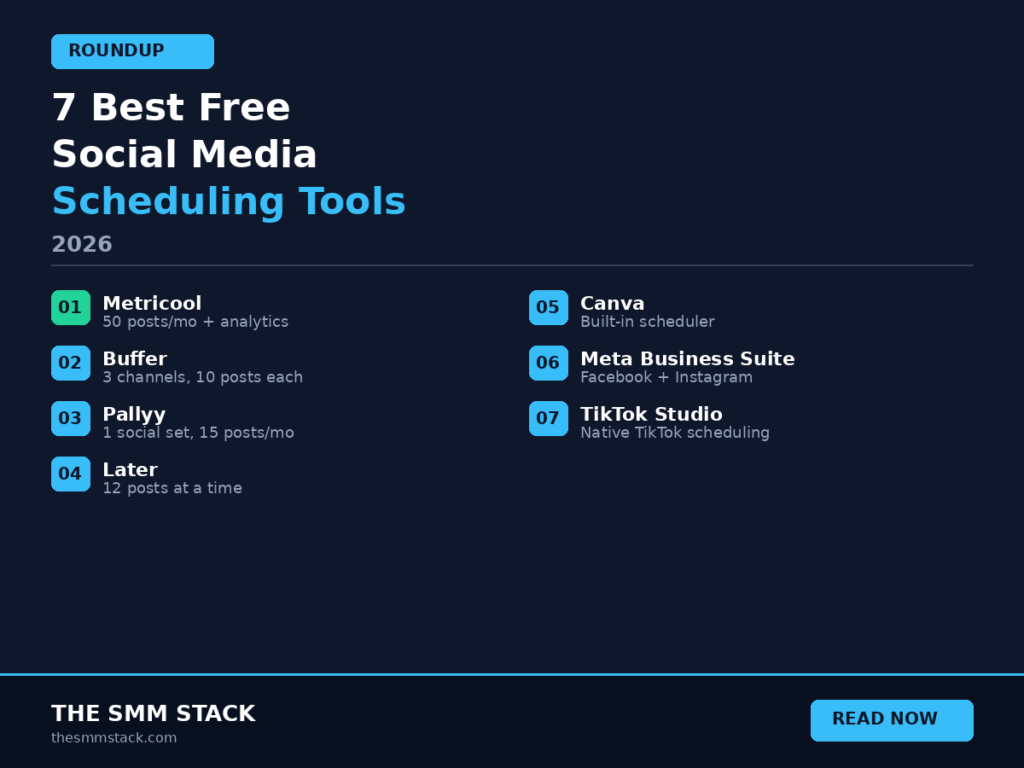
1. Metricool — Best overall free plan. 50 posts per month plus analytics and competitor tracking. Hard to beat.
2. Buffer — Simplest to use. 3 channels, 10 posts each. Clean and minimal.
3. Pallyy — Best for Instagram visual planning. 1 social set, 15 posts per month. Beautiful drag-and-drop interface.
4. Later — Good for Instagram grid planning. 12 posts at a time per channel. Limited but visual.
5. Canva — Surprisingly decent built-in scheduler. If you already use Canva for design, this saves a step.
6. Meta Business Suite — Completely free for Facebook and Instagram. No catches. Often overlooked.
7. TikTok Studio — Free native scheduling for TikTok. Does what it says, nothing more.
1. Metricool — Best Free Plan Overall
This is the one I use personally, and the free plan is the reason I started with it.
Metricool gives you 50 scheduled posts per month on the free plan, which is enough for most solo users posting once or twice a day. You get one brand — meaning one account per platform — and can connect to Facebook, Instagram, X, TikTok, Pinterest, YouTube, Threads, and Google Business Profile. The only platform locked behind the paid plan is LinkedIn, because LinkedIn charges for API access.
What sets Metricool apart from every other free plan on this list is that you also get analytics and competitor tracking included. Most tools strip analytics out of their free tier and make you pay $20 or more a month just to see which posts performed well. Metricool gives you engagement data, follower growth trends, a heatmap showing when your audience is online, and the ability to track up to 5 competitors — all for free.
The content planner uses a visual calendar with drag-and-drop scheduling and an "Optimal Time" feature that suggests when to post based on your audience data. You can also schedule a first comment on Instagram posts, which is useful if you keep your hashtags out of the caption.
The main limitation is that 50 posts per month can feel tight if you are posting to multiple platforms daily. If you post once a day to three platforms, that is 90 posts a month and you are over the limit. At that point you would need the Starter plan at $20 per month, which is still cheaper than most competitors' entry-level plans.
Who it is best for: Freelance social media managers, small business owners, and solo creators who want scheduling plus analytics without paying anything.
What you give up on free: LinkedIn scheduling, more than one brand, unlimited posts.
I wrote a full deep-dive review if you want the complete picture: https://thesmmstack.com/metricool-review/
2. Buffer — Simplest Free Scheduler
If you have ever opened a SaaS tool and immediately felt overwhelmed, Buffer is the antidote. The interface is so clean it is almost aggressive about being simple. You sign up, connect your accounts, write a post, hit schedule, and you are done.
The free plan gives you 3 social channels with 10 scheduled posts per channel. That is not a lot — 10 posts per channel means you run out in under two weeks if you are posting daily. But for someone who posts a few times a week to a couple of platforms, it covers the basics.
Buffer supports Facebook, Instagram, X, LinkedIn, TikTok, Pinterest, YouTube, Threads, Google Business Profile, Mastodon, and Bluesky. That is actually the widest platform support of any tool on this list, including newer decentralised networks.
The free plan includes Buffer's AI Assistant for generating caption ideas, which is a nice bonus that most competitors charge for. What you do not get is analytics, team features, or hashtag management — those are all on the paid Essentials plan at $6 per channel per month.
Who it is best for: People who just want to schedule posts without thinking about it. Beginners who find other tools overwhelming.
What you give up on free: Analytics, hashtag manager, engagement tools, and you are limited to 10 posts per channel which runs out fast.
3. Pallyy — Best Free Plan for Instagram
Pallyy is a tool that punches way above its weight, and its free plan is genuinely useful for anyone focused on visual content — especially Instagram.
The free plan gives you 1 social set (one account per platform) and 15 scheduled posts per month. That is fewer posts than Metricool's free plan, but Pallyy makes up for it with a scheduling interface that is a genuine pleasure to use. You drag and drop media from your library onto a visual calendar, and the Instagram grid preview lets you see exactly how your feed will look before anything goes live.
Pallyy supports Instagram, Facebook, X, LinkedIn, Google Business, Pinterest, TikTok, Threads, and YouTube. The social inbox feature — which lets you manage comments and DMs from multiple platforms in one place — is available on the free plan, which is unusual. Most tools lock inbox features behind paid tiers.
The 15 posts per month limit is tight though. If you are posting to even two platforms three times a week, you hit the cap in less than three weeks. The paid Premium plan at $25 per month removes the posting limit and adds analytics, AI captions, and approval workflows.
Who it is best for: Instagram-focused creators who care about visual feed planning. Small businesses that want a clean, modern scheduling interface.
What you give up on free: More than 15 posts per month, analytics, AI captions, approval workflows.
4. Later — Good for Visual Grid Planning
Later built its reputation as an Instagram scheduling tool, and the visual grid planner is still one of the best in the business. If maintaining a cohesive Instagram aesthetic is important to your brand, Later's feed preview feature is worth trying.
The free plan lets you connect up to 8 social channels (one per platform) and have 12 posts set up at a time per channel. Note that this includes both scheduled posts and drafts, so it is more limited than it initially sounds. Later supports Instagram, Facebook, X, TikTok, LinkedIn, Pinterest, YouTube, and Threads.
The Linkin.bio feature — Later's link-in-bio solution — is included on the free plan, which is handy if you want to drive Instagram traffic to specific pages without the "link in bio" awkwardness.
The biggest downside is that Later recently retired their traditional free plan and replaced it with a much more limited version. The free tier now feels more like a teaser than a genuinely usable tool. If you need more than basic scheduling, paid plans start at $25 per month for the Starter plan, which only gives you 30 posts per month per profile. That is more restrictive than competitors at the same price point.
Who it is best for: Instagram creators who prioritise feed aesthetics. Anyone who needs a link-in-bio solution bundled with their scheduler.
What you give up on free: Meaningful posting volume, analytics, team features, AI tools. The free plan is more of a trial than a long-term solution.
5. Canva — The Scheduling Tool You Might Already Have
Here is something a lot of people do not realise: if you have a Canva account (even the free one), you already have a social media scheduler. Canva's Content Planner lets you design a post in Canva and schedule it directly to your social accounts without leaving the platform.
This is genuinely convenient if your workflow already starts in Canva. You design your graphic, write your caption, pick a date and time, and it publishes automatically. No need to download the image, open a separate scheduling tool, upload it again, and then schedule. It cuts out an entire step.
The free plan lets you schedule to Instagram, Facebook, X, LinkedIn, Pinterest, and TikTok. You get up to 25 scheduled posts at a time, which is more generous than Buffer or Later's free tiers. Analytics are basic but present.
The catch is that Canva's scheduler is not a dedicated scheduling tool, and it shows. There is no visual calendar view, no optimal posting time suggestions, no competitor tracking, and no social inbox. It is a scheduler bolted onto a design tool, not a scheduling tool in its own right. If all you need is "design, schedule, forget," it works. If you want any depth beyond that, you will want a dedicated tool.
Who it is best for: People who already use Canva for design and want to cut a step out of their workflow. Absolute beginners who want the simplest possible path from design to published post.
What you give up: Calendar view, analytics depth, competitor tracking, social inbox, optimal time suggestions. It is a scheduler, not a management platform.
6. Meta Business Suite — Free and Often Overlooked
This one gets ignored in almost every "best tools" roundup, and I honestly do not understand why. Meta Business Suite is completely free, handles both Facebook and Instagram, and does more than most people give it credit for.
You can schedule posts, Stories, and Reels to both Facebook and Instagram. You get a content calendar, basic analytics (reach, engagement, follower demographics), and a unified inbox for managing comments and messages across both platforms. There is even a basic ad manager built in.
The reason it does not rank higher on this list is that it only covers Facebook and Instagram. If you manage any other platform — X, TikTok, LinkedIn, Pinterest — you need a separate tool alongside it. But if Facebook and Instagram are your only platforms, Meta Business Suite does everything you need at a price that cannot be beaten: free. Not "free with limits." Just free.
Who it is best for: Small business owners who only use Facebook and Instagram. Anyone who wants a genuinely free solution with no posting limits.
What you give up: Every platform that is not Facebook or Instagram. The interface is also clunkier than dedicated scheduling tools.
7. TikTok Studio — Native TikTok Scheduling
If TikTok is a major part of your strategy, you should know that TikTok has its own built-in scheduling feature through TikTok Studio. You can upload a video and schedule it to publish at a specific date and time — no third-party tool required.
It is basic. You upload, you set a time, it posts. There is no content calendar, no bulk scheduling, no analytics beyond what TikTok already shows in the app. But it is free, it is native, and it works reliably without the API quirks that sometimes affect third-party scheduling tools on TikTok.
The analytics in TikTok Studio are actually more detailed than what most third-party tools can access through TikTok's API. You get video performance data, audience demographics, and trending content insights. If TikTok is your main platform and you are using a scheduling tool primarily for the TikTok side, you might be paying for something that the native tool does better.
Who it is best for: TikTok-focused creators who want to batch-schedule content without paying for a third-party tool.
What you give up: Multi-platform scheduling. If you post to platforms beyond TikTok, you still need another tool.
Which Free Plan Should You Actually Use?
It depends on what you need, so let me make this simple.
If you want the most capable free plan overall, go with Metricool. 50 posts per month, analytics, and competitor tracking on a free plan is unmatched. Nothing else comes close in terms of what you get for zero dollars.
If you want the simplest possible experience, go with Buffer. Three channels, ten posts each, done. No learning curve.
If Instagram is your primary platform and feed aesthetics matter, try Pallyy. The visual planner and grid preview are best-in-class.
If you only use Facebook and Instagram, Meta Business Suite is the no-brainer. It is completely free with no posting limits.
If you are already designing in Canva, use their built-in scheduler and save yourself the hassle of switching between tools.
And if TikTok is your main platform, start with TikTok Studio before paying for something else.
Most people will end up on Metricool or Buffer. The former gives you more, the latter gives you less to think about. Pick whichever matches your personality.
Will You Eventually Need to Pay?
Being honest here — probably yes. Free plans are great for getting started, but most active social media users outgrow them within a few months. Posting daily to multiple platforms burns through free post limits fast, and the lack of analytics on most free plans means you are flying blind when it comes to knowing what content actually works.
The good news is that paid plans for most of these tools are reasonable. Metricool's Starter plan is $20 per month. Buffer's Essentials is $6 per channel. Pallyy's Premium is $25 per month. None of these are going to bankrupt you, and the time savings alone usually justify the cost within the first month.
Start free, learn the tool, figure out if it fits your workflow, and upgrade when the free plan starts holding you back. That is the smart way to do it.
Frequently Asked Questions
What is the best completely free social media scheduler?
Metricool offers the most generous free plan — 50 scheduled posts per month plus analytics and competitor tracking. Meta Business Suite is also completely free with no posting limits, but only covers Facebook and Instagram.
Can I use free scheduling tools long-term?
Yes, if your posting volume is low enough. Metricool's free plan at 50 posts per month is sustainable for someone posting a few times a week to one or two platforms. Buffer and Pallyy's free plans are more restrictive and most active users outgrow them within a month or two.
Are free scheduling tools safe to use?
Yes. All the tools on this list are established platforms with thousands or millions of users. They connect to your social accounts through official APIs. Just make sure you are signing up on the official websites and not knockoff sites.
Do free plans hurt my reach or engagement?
No. Scheduling tools post through the same APIs that the native platforms use. A post scheduled through Metricool or Buffer is treated identically by the algorithm to a post published manually. There is no penalty for using a scheduler.
What should I upgrade to first?
If you are outgrowing a free plan, Metricool's Starter at $20 per month gives you the best value — unlimited posts, full analytics, competitor tracking for up to 100 profiles, and LinkedIn support. It is significantly cheaper than Hootsuite ($199 per month) or Sprout Social ($249 per month) while covering most of the same ground.
Pingback: Metricool Review 2026: Honest Take on Features, Pricing & Cons
Pingback: Metricool vs Hootsuite vs Buffer 2026: Which Is Actually Best?
Pingback: How to Use Metricool in 2026: Complete Beginner Tutorial
Pingback: Pallyy Review